

How to Remove Gemini Logo from Image – Fast & Free Method (2026)
Google Gemini's AI image generator adds a prominent "Gemini" logo (watermark) to every generated image. While this helps identify the source, many users prefer a clean version without the logo for sharing, editing, or professional use.
In this guide, you'll learn the easiest and most effective way to remove Gemini logo from image without downloading any software or using complicated editing tools.
Why Remove the Gemini Logo?
- Create cleaner, more professional-looking AI images
- Remove the distracting text/logo in the corner
- Use the images for social media posts, blogs, portfolios, or prints
- Maintain full creative ownership of your Gemini creations
The Simplest Solution: Use a Free Online Gemini Logo Remover
The quickest way to remove Gemini logo from image is by using a dedicated online AI tool designed specifically for this purpose.
At gemini-watermark-remover.net, you can erase the Gemini logo in just a few seconds with high-quality results.
Step-by-Step Guide: How to Remove Gemini Logo from Image
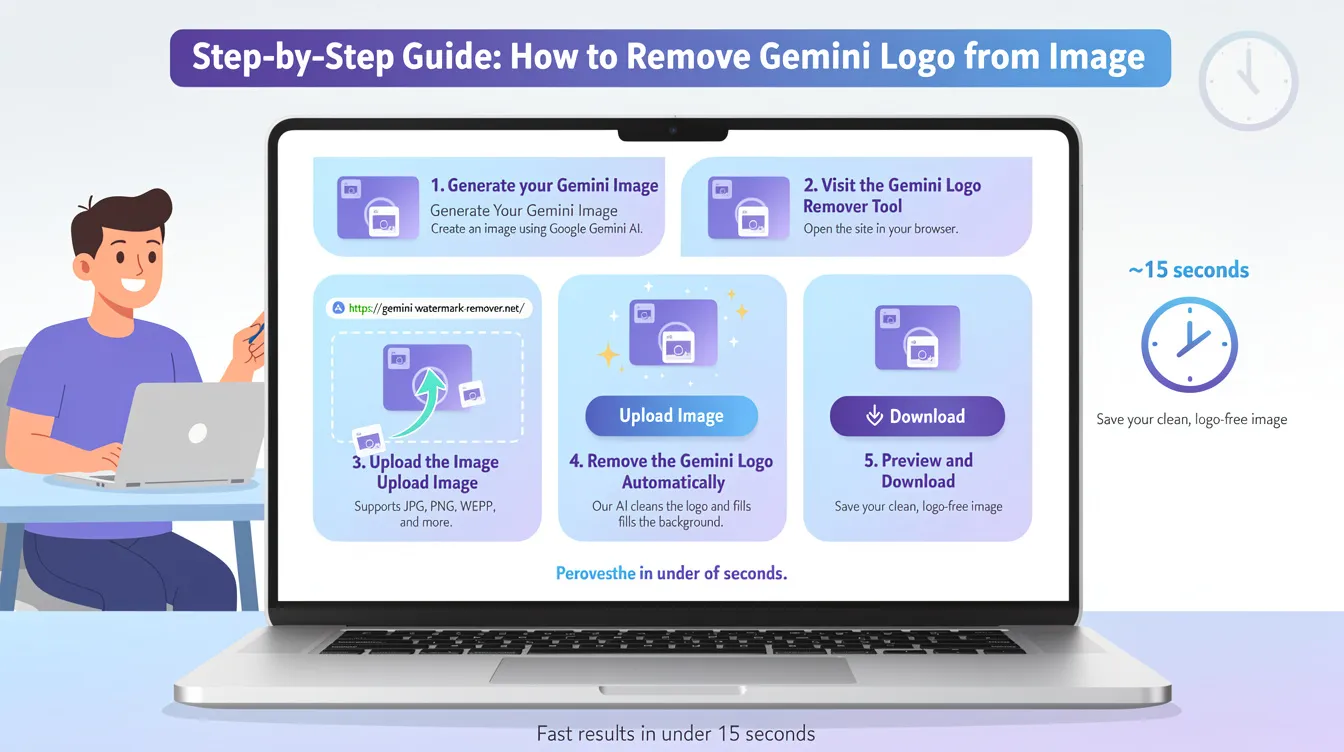
1. Generate Your Gemini Image
Create an image using Google Gemini AI.
2. Visit the Gemini Logo Remover Tool
Go to https://gemini-watermark-remover.net/ in any browser.
3. Upload the Image
Click "Upload Image" or drag and drop your Gemini-generated image onto the page. Supported formats: JPG, PNG, WEBP, etc.
4. Remove the Gemini Logo Automatically
Our AI-powered tool will automatically detect the Gemini logo and remove it while intelligently filling in the background area.
5. Preview and Download
Check the result in the preview window. Once satisfied, click Download to save the clean, logo-free image to your device.
The whole process usually takes under 15 seconds.
Key Features of Our Tool
- One-Click Gemini Logo Removal — No manual selection needed
- Smart AI Restoration — Restores the area behind the logo with natural details
- High Quality Output — Preserves sharpness, colors, and fine details
- Supports All Gemini Styles — Works on realistic photos, anime, art, landscapes, and more
- Completely Free — No signup, no limits, no added watermarks
- Secure & Private — Your images are not stored on our servers
- Works on Mobile — Fully responsive for phones and tablets
Pro Tips for Better Results
- Use the highest resolution image possible for cleaner removal
- The tool performs best on the standard Gemini logo placement (usually bottom corner)
- For complex or textured backgrounds, the AI inpainting still delivers impressive results
- You can process multiple images one by one very quickly
Important Note
This tool is meant for personal use of images you generated yourself. Please follow Google's terms of service regarding AI-generated content.
Ready to Remove Gemini Logo from Your Images?
Say goodbye to the annoying Gemini logo and enjoy clean AI-generated images in seconds.
Have any questions about removing Gemini logos or watermarks from other AI tools? Feel free to leave a comment below!